Top fixes
Tesla Model S top fixes: how owners handle the common issues
Practical fixes for the common Tesla Model S faults owners run into.
Updated 4th September 2026 DVSA data: Across 10,726 recorded MOT tests, 18.6% failed.
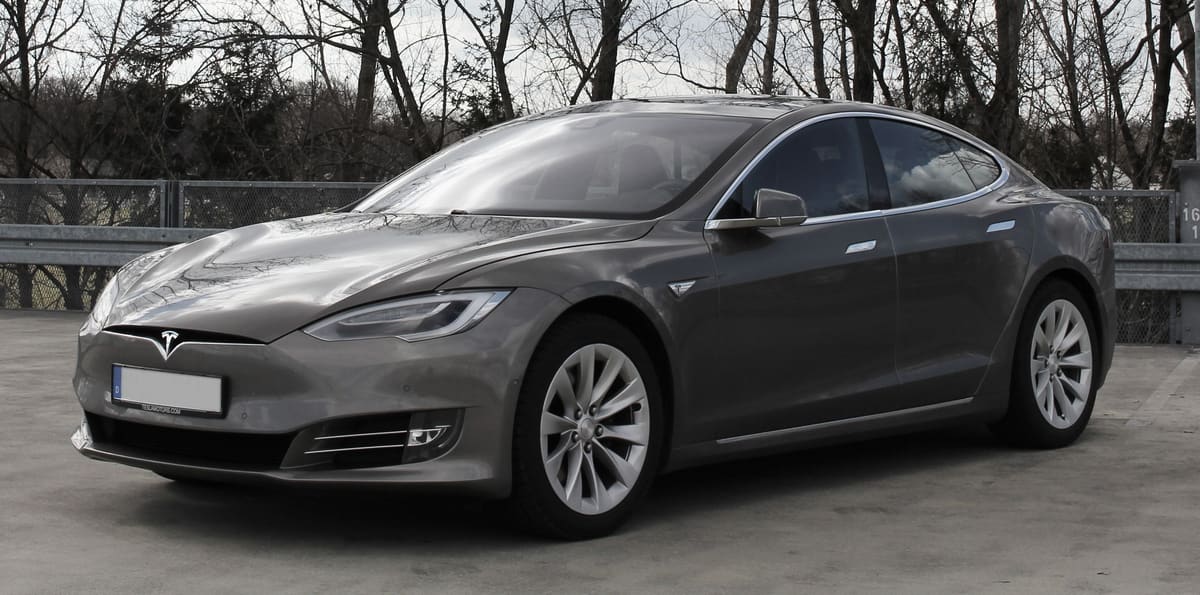
The Tesla Model S is a remarkable electric vehicle, but like any car, it can experience issues. Common problems reported by owners include battery degradation, touchscreen malfunctions, and suspension wear. Fortunately, there are practical fixes for these issues that can enhance your ownership experience.
Battery Degradation
Battery degradation is a common concern for electric vehicle owners, including those with the Tesla Model S. Over time, the battery’s capacity can diminish, leading to reduced range. Regular software updates can help optimise battery performance, while maintaining a charge between 20% and 80% can prolong its lifespan.
Additionally, consider using the vehicle’s scheduled charging feature to ensure the battery is not left at a low state for extended periods. If you notice significant degradation, consulting Tesla for a battery health check can provide insights into whether a replacement is necessary.
Touchscreen Malfunctions
The central touchscreen in the Tesla Model S is integral to its operation, but some owners report issues such as unresponsiveness or flickering. Regular software updates often include fixes for touchscreen glitches, so ensuring your vehicle is up to date can resolve many of these problems.
If issues persist, a factory reset of the touchscreen may help. This can be done through the settings menu and often resolves minor software bugs. For more severe problems, contacting Tesla support for a diagnostic check is advisable, as they can offer solutions or repairs.
Suspension Wear
The air suspension system in the Model S provides a smooth ride but can experience wear over time, especially if the vehicle is frequently driven on rough roads. Owners may notice a drop in ride height or unusual noises. Regular inspections can help catch these issues early.
If you suspect suspension wear, consider having the air suspension system checked by a qualified technician. Replacing worn components can restore ride quality. Additionally, keeping the vehicle’s software updated can help manage suspension settings and performance.
Charging Issues
Some Tesla Model S owners report difficulties with charging, such as slow charging rates or issues with Supercharger stations. To address slow charging, ensure that the charging cable and port are clean and free from debris. Regular maintenance of these components can prevent many charging issues.
If you encounter problems with Supercharger stations, checking the Tesla app for station status can help. If a station is down, plan alternative charging routes. For persistent charging issues, contacting Tesla support can provide further assistance and troubleshooting.
Software Glitches
Software glitches can affect various functions in the Tesla Model S, from navigation to climate control. Keeping the vehicle’s software updated is crucial, as Tesla frequently releases updates that fix bugs and improve functionality.
If you experience a glitch, try rebooting the system by holding down the two scroll wheels on the steering wheel until the screen resets. This simple fix can resolve many minor issues. For ongoing problems, reaching out to Tesla service may be necessary for a more thorough diagnosis.
Brake Wear
Brake wear is another common issue that Model S owners may encounter, particularly if the vehicle is driven aggressively or frequently in stop-and-go traffic. Regular inspections of the brake pads and rotors are essential for maintaining optimal braking performance.
If you notice squeaking or reduced braking efficiency, it may be time to replace the brake pads. Tesla’s regenerative braking system can help extend the life of brake components, but regular checks are still important. Consulting with a qualified technician can ensure that your braking system remains in good condition.
Tesla Model S recall record
8 recalls have been issued for the Tesla Model S, between 2015 and 2025.
Update Vehicle Firmware To Restore Post-Crash eCall Functionality
R/2025/075Issued 7 March 2025
On affected vehicles the eCall audio system will not operate in compliance with Regulations when the front passenger seat is occupied. As a result communications between the occupants of the vehicle and an eCall public safety answer point are unavailable post-crash.
Remedy:Install modified software via an Over the Air (OTA) wireless update.
Affects cars built Oct 2022 to Apr 2024
MISALIGNMENT OF THE HOOD LATCH MAY PREVENT LATCHING OF THE SECONDARY LATCH
R/2022/009Issued 18 February 2022
Misalignment of the hood latch may prevent latching of the secondary latch.
Remedy:Inspect the secondary hood latch on affected vehicles. If the hood is not properly retained by the secondary latch the latch mechanism will be reassembled and repositioned to assure proper alignment.
Affects cars built Sept 2014 to Dec 2020
WHEN THE eMMC REACHES ACCUMULATED LIFETIME WEAR THE CUSTOMER MAY EXPERIENCE A BLANK CENTRE DISPLAY
R/2021/031Issued 1 February 2021
When the eMMC reaches accumulated lifetime wear the customer may experience a blank centre display.
Remedy:Ensure current software is installed and upgrade the VCM daughterboard to a 64GB Micron eMMC.
Affects cars built May 2012 to Mar 2018
THE PROPELLANT IN THE FRONT PASSENGER AIRBAG INFLATOR MAY DEGRADE OVER TIME
R/2019/006Issued 11 January 2019
The front passenger airbag inflator could rupture in the event the airbag is deployed.
Remedy:Replace the front passenger air bag on affected vehicles.
Affects cars built Mar 2014 to Dec 2016
4 older recalls not shown.
A recall applies to a build range, not to every car of this model. Check a registration to see whether one specific vehicle has an outstanding recall.
Tesla Model S MOT record
From 10,726 recorded MOT tests, 18.6% failed.
| Registered | Tests | Failed | Median mileage |
|---|---|---|---|
| 2020 | 920 | 17.2% | 53,504 mi |
| 2019 | 1,226 | 13.8% | 62,600 mi |
| 2018 | 1,880 | 15.7% | 72,874 mi |
| 2017 | 2,532 | 17.8% | 81,529 mi |
| 2016 | 2,305 | 20.6% | 94,900 mi |
| 2015 | 1,271 | 23.3% | 103,452 mi |
| 2014 | 592 | 25.5% | 109,759 mi |
Most common reasons for failure
- Tyre tread depth not in accordance with the requirements33.9%
- A suspension pin, bush or joint excessively worn32.2%
- A tyre seriously damaged14.4%
- Brake disc or drum excessively weakened, insecure or fractured9.9%
- A tyre cords visible or damaged9.6%
Figures cover every Tesla Model S tested in the DVSA dataset, not this specific car. Check a registration for the actual history of one vehicle.
Tesla Model S official figures
Median across 2 variants on sale, electricity.
- Electric range
- 383.5 miles
- Manufacturer WLTP figure
Official figures for new cars. Real economy varies with driving, load and conditions.
Frequently asked questions
What common issues should I look for in a used Tesla Model S?
Common issues include battery degradation, touchscreen malfunctions, and door handle problems. It's important to check the vehicle's service history for any repairs.
How can I tell if a Tesla Model S has had the necessary fixes?
You can check the service records for any completed repairs or software updates. Additionally, a thorough inspection by a qualified technician can help identify any outstanding issues.
Are there any recalls on the Tesla Model S I should be aware of?
Recalls are issued against individual vehicles rather than a model as a whole, so a model-level yes or no would be guesswork. Enter the registration on Honest Car Check and we check the DVSA record for that specific car. Where DVSA holds no status, confirm it with a franchised dealer using the VIN.
What is the average cost of fixing common Tesla Model S issues?
Repair costs can vary widely depending on the issue and location. It's best to get quotes from certified Tesla service centres for accurate estimates.
Can I perform repairs on a Tesla Model S myself?
While some minor tasks can be done at home, many repairs require specialised tools and knowledge. It's generally recommended to have a qualified technician handle significant repairs.
What warranty options are available for a used Tesla Model S?
Used Tesla Model S vehicles may still be under the original warranty or may qualify for an extended warranty. Check with the seller for details on the warranty status.
Is it worth buying a Tesla Model S with known issues?
It depends on the severity of the issues and the cost of repairs. If the price reflects the necessary fixes and you are comfortable with the potential costs, it could be a worthwhile investment.
Sources
- DVSA anonymised MOT tests and results (Open Government Licence v3.0)
- VCA new car fuel consumption and emissions data (Open Government Licence v3.0)
- DVSA vehicle safety recalls (Open Government Licence v3.0)